Identify before bundling
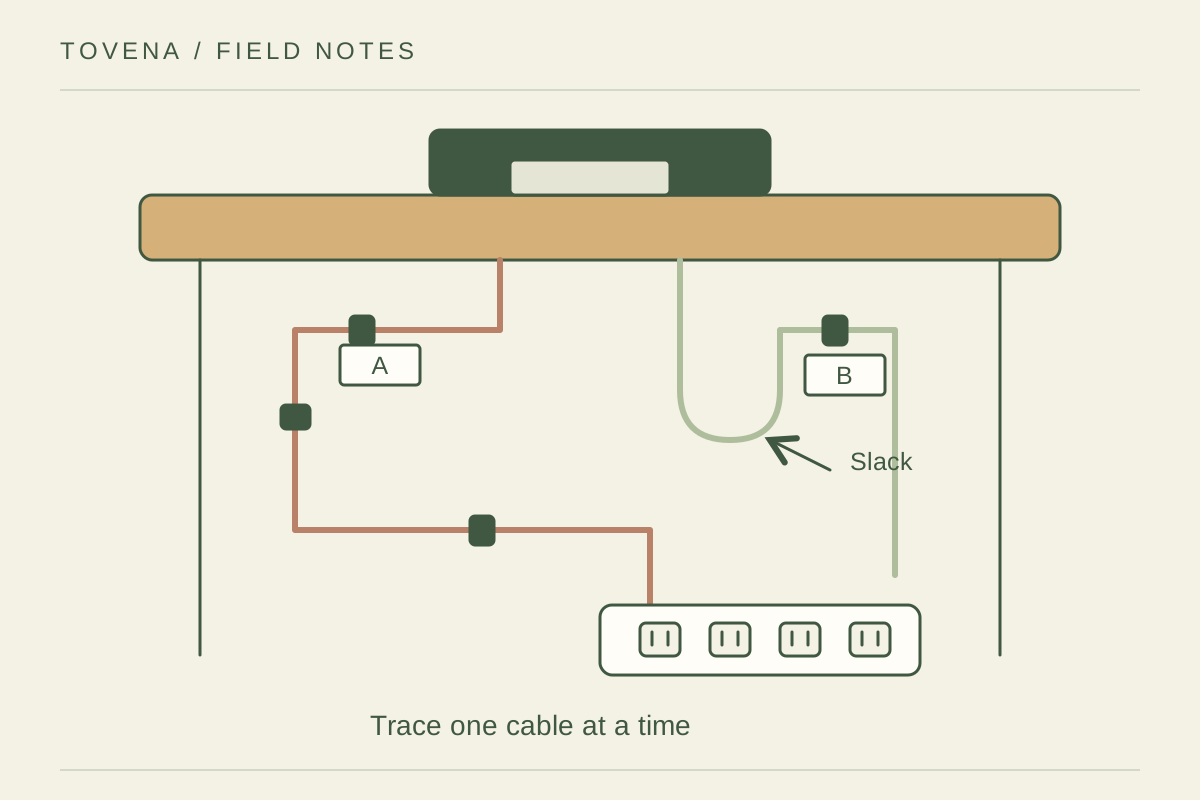
Turn off and disconnect equipment according to its instructions before reorganizing its leads. Label each cable at both ends so a charger can be removed without tracing a whole bundle. Separate cables that must move with a laptop from those that stay at the desk. Photograph the original connections if they are difficult to remember. Remove abandoned leads from the working area, but check the associated device before deciding an unfamiliar adapter is no longer needed.
Allow the furniture to move
Choose reusable ties or suitable clips that hold the route without sharply bending or crushing the cable. Leave enough slack for the chair, adjustable desk, or monitor to move as intended, and test the full range slowly. Do not route leads through a pinch point at a drawer or folding leg. Keep cords away from feet and do not conceal them under a rug. Never modify a plug or cable to make the bundle neater.
Keep connections accessible
A cable box is useful only if it suits the equipment and allows the ventilation required by the product instructions. Do not bury power supplies in fabric or pack them tightly with paper. Keep spills away and leave access to switches and plugs. After tidying, reconnect and check each device one by one. The finished arrangement should let you spot damage and remove a single item easily; an opaque knot of perfect-looking ties is not a useful system.